


ChronoFrame keeps your space minimal while giving you power-user control when you need it.
187
Reviews
ChronoFrame Clock
ChronoFrame Clock
Translation missing: en.products.product.price.regular_price
$0.00
Translation missing: en.products.product.price.regular_price
Translation missing: en.products.product.price.sale_price
$0.00
Translation missing: en.products.product.price.unit_price
Translation missing: en.accessibility.unit_price_separator



4.8/5 from smart-home minimalists and desk-setup lovers
Meet the ChronoFrame Clock—an internet-ready digital clock you control from your browser. Set alarms, switch time formats, and change display styles from your computer or phone without installing an app. It’s the clean, modern upgrade your desk, studio, or office has been missing.
No-app control
Six smart alarms
Multi-display modes

Control it from any browser—no app required
Adjust settings instantly on phone or computer.

Six alarms for real-life schedules
Separate wake, workout, meds, meetings, and more.

Display styles that match your setup
Switch formats and modes in seconds.
Built for clean setups and fast changes
Perfect for home office, studio, or bedside
From deep-focus workdays to early mornings, it adapts to your routine with a few clicks.


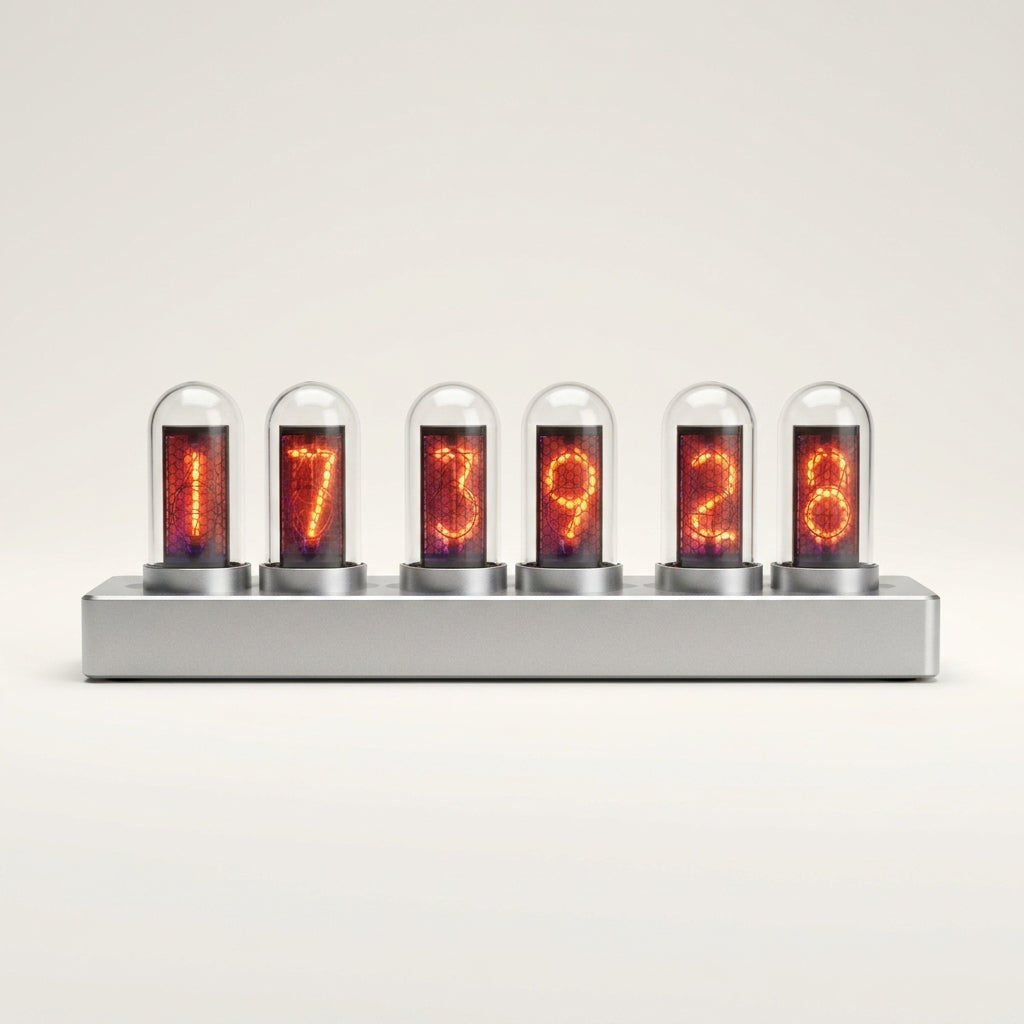
A smarter clock—without the app clutter
ChronoFrame gives you web-based control and flexible alarms for modern routines.
Web-side control, instantly
Change settings from a browser in seconds.

Computer package support
Install on desktop for quick, reliable access.


Six alarms, zero compromise
Keep different schedules separated and dependable.

Formats and modes on demand
Swap time style and display whenever you want.
6
alarms to separate work, life, and reminders.
0
apps required—control it from your browser.
Multi
display modes to match any room aesthetic.
24/12
hour formats for global teams and travelers.
Trusted by people who optimize their setup
Made for desks, studios, and smart spaces.
Get ChronoFrameHigh demand: inventory can move quickly week to week.
ChronoFrame vs. ordinary digital clocks
Stop settling for one-button clocks that never fit your workflow—upgrade to configurable control.
| Browser | Flexible | Scheduled | Clean | Convenient | |
|---|---|---|---|---|---|
Your Brand |
|||||
OTHER BRANDS |
Your Brand |
OTHER BRANDS |
|
|---|---|---|
| Browser | ||
| Flexible | ||
| Scheduled | ||
| Clean | ||
| Convenient |

Set it once—fine-tune anytime from your devices
ChronoFrame is made for people who hate fiddly buttons. Use your computer or phone to adjust alarms, formats, and display modes in a clean web interface.
Limited Stock
Upgrade your timekeeping with confidence
Simple setup, powerful control, and a premium everyday experience.
No-app setup
Fast scheduling
Multiple modes
Desk-ready design
Buy ChronoFrame
Availability is limited due to ongoing demand and restocks.
FAQ
Questions about ChronoFrame Clock
Quick answers before you check out.
Do I need to download an app to control ChronoFrame?
No—ChronoFrame is designed for web-side control, so you can manage it from a browser without installing an app.
Can I control it from both my phone and my computer?
Yes, you can adjust settings from a phone or a computer for quick changes anytime.
How many alarms can I set?
You can set up to six alarms, ideal for different daily routines and reminders.
Does it support 12-hour and 24-hour time formats?
Yes—switch between multiple time formats to match your preference or region.
What if I want a different look on the display?
ChronoFrame includes multiple digital display modes, so you can change the style whenever you want.